Tired of reading a 500-word explanation when a simple chart or button would do? MCP Apps are turning AI chat from a boring text-box into a full-blown interactive dashboard.
The Simple Version
Imagine your AI isn't just a pen pal who describes things to you, but a magic assistant who can hand you actual tools.
Instead of the AI saying, 'I have created a sales funnel, and here is a list of the stages,' it simply hands you a visual funnel with buttons you can click to move data around.
How It Actually Works
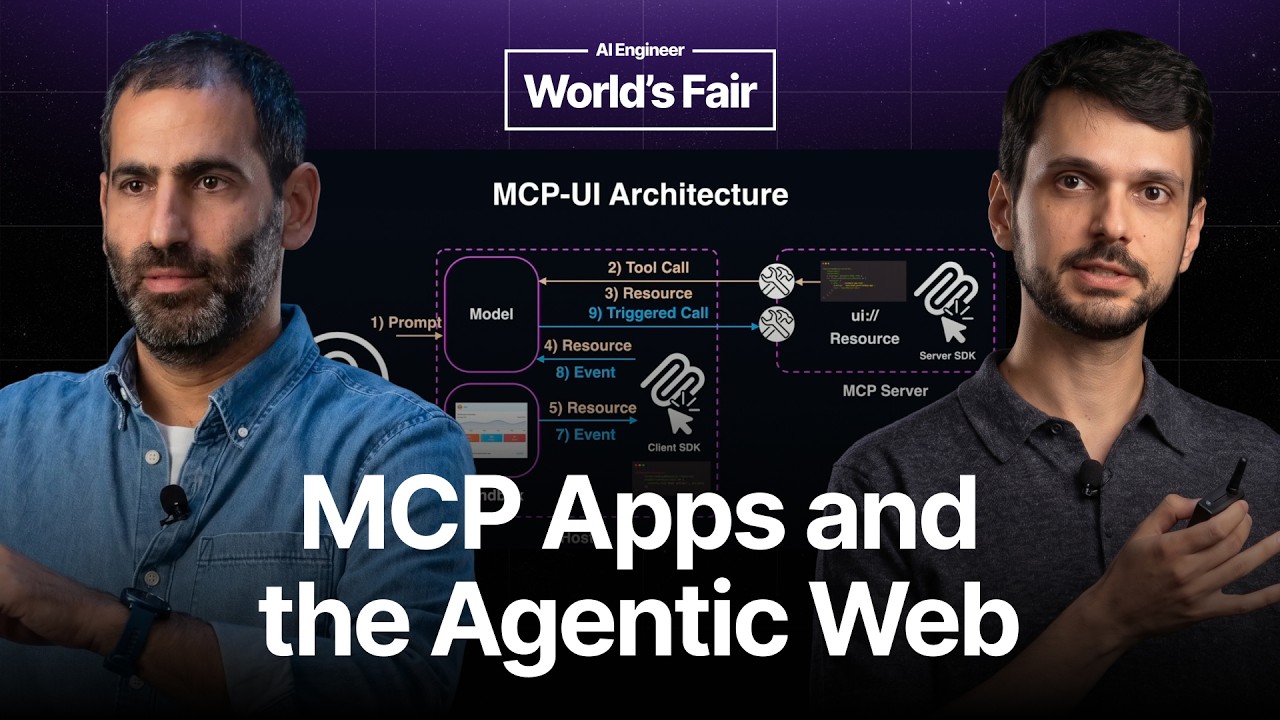
The Trigger: From Tool to UI
It all starts with a tool call. When the AI realizes that a visual interface is better than text, it doesn't just write a response.
Instead, it links to a registered resource on the MCP server. This tells the host app exactly which UI component needs to be displayed.
The Rendering Process
The host (the AI application you are using) receives this link and renders it as a web component.
Because it uses a standardized protocol, the host knows exactly how to display the component regardless of who built the server.
Closing the Loop
The magic happens when you interact with the UI. When you click a button or toggle a switch, that action flows back into the agentic loop.
The AI sees your interaction as a new input, allowing it to react and update the interface in real-time.
Technical Deep Dive
At its core, MCP Apps leverage the Model Context Protocol (MCP) to decouple the UI logic from the AI host. Instead of creating bespoke integrations for every single LLM client, developers build a server that ships a standardized resource.
The architecture relies on web components, which ensures that the UI remains portable. The host acts as the renderer, while the MCP server manages the state and logic of the application.
For developers, the biggest win is the distribution model. By adhering to the MCP spec, a single UI implementation can be deployed across every host that supports the protocol, instantly reaching millions of users without needing individual API partnerships.
Why This Matters
We are moving away from 'Chatbots' and toward 'AI Operating Systems.' When AI can render its own interfaces, the friction between thinking and doing disappears.
This removes the 'wall of text' problem that plagues current LLMs. Complex data becomes glanceable, and multi-step workflows become a series of simple clicks.
Furthermore, it democratizes AI tool distribution. Small developers can build powerful interactive tools that work across the entire AI ecosystem simultaneously.
Key Takeaways
- Interactive UI: Shifts AI from text-only responses to functional, visual components.
- Write Once, Run Anywhere: A standardized protocol means one UI works across all supporting AI hosts.
- Web Components: Uses modern web standards to render interfaces dynamically.
- Agentic Feedback: UI interactions feed directly back into the AI's reasoning loop.
- Reduced Friction: Replaces long explanations with actionable, visual data.
- Open Standard: Developed through an open working group to ensure interoperability.