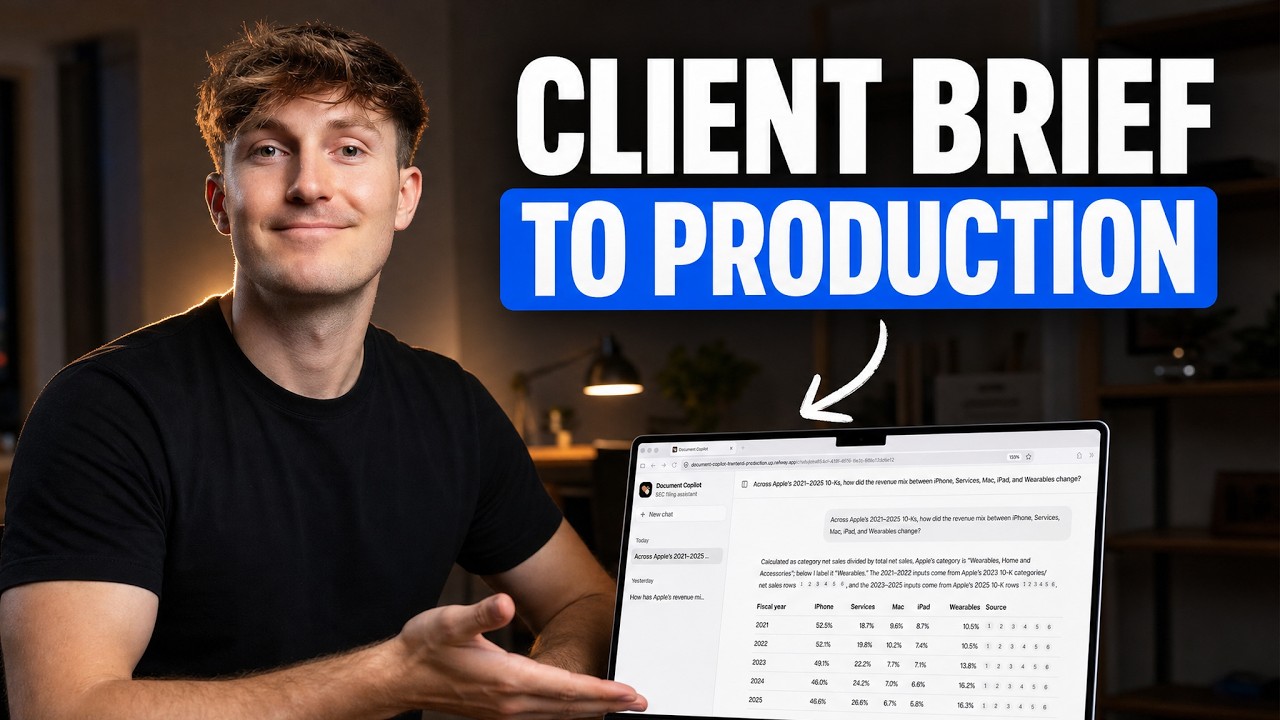
Most people stop at writing a clever prompt in a chat box, but the real magic happens when you build a system that connects an LLM to your own private data.
Turning a raw PDF into a conversational intelligence tool is the hallmark of modern AI engineering.
The Simple Version
Imagine you have a massive textbook containing thousands of pages of complex financial data. If you ask a standard AI a question about it, the AI might try to remember a similar book it read during training, which often leads to "hallucinations"—confident but wrong answers.
A RAG (Retrieval-Augmented Generation) system changes the game. Instead of relying on memory, the AI acts like a researcher with a high-speed index. When you ask a question, it quickly flips to the exact page and paragraph needed, reads it, and then summarizes the answer for you.
How It Actually Works
Building this system requires a pipeline that moves data from a raw document to a chat interface. This process is broken down into four critical stages.
1. Ingestion and Chunking
You can't feed a 100-page SEC filing into an LLM all at once; it's too much data and too expensive. Instead, the system uses chunking, which breaks the document into smaller, manageable pieces of text.
These chunks are then converted into embeddings. An embedding is essentially a long list of numbers (a vector) that represents the mathematical "meaning" of the text.
2. Vector Storage with pgvector
Once the text is converted into vectors, it needs a home. This project uses Supabase, which is built on PostgreSQL. By adding the pgvector extension, the database can store these mathematical vectors and perform similarity searches.
When a user asks a question, that question is also converted into a vector. The database then finds the "closest" vectors in its storage, which represent the most relevant pieces of the original document.
3. Retrieval and Grounding
The system doesn't just send the user's question to the AI. It sends the question plus the relevant chunks found in the database. This is called grounding.
The prompt tells the AI: "Using only the following pieces of context, answer the user's question. If the answer isn't there, say you don't know." This drastically reduces the chance of the AI making things up.
4. The Frontend Experience
To make this useful, a professional UI is required. Using React and TypeScript, the application creates a chat interface that doesn't just show text, but also provides citations. This allows the user to click a reference and see exactly which part of the SEC filing the AI used to generate its answer.
Technical Deep Dive
For the developers looking at the architecture, this project follows a modern, decoupled stack designed for scalability and type safety.
The Backend: FastAPI
FastAPI is used for the server because of its native support for asynchronous programming (async/await). This is critical for AI apps because calls to LLM APIs and vector databases can be slow; async allows the server to handle other requests while waiting for the AI to respond.
The backend manages the orchestration between the Supabase client, the embedding model, and the LLM. It handles the logic for chat history, ensuring the AI remembers the previous few turns of the conversation.
Database Architecture: Hybrid Search
While vector search is great for "meaning," it can sometimes miss specific keywords (like a specific company ticker or a unique legal term). This is why the project implements hybrid search.
Hybrid search combines semantic vector search with traditional keyword search (BM25). By merging these two results, the system ensures that it finds the most conceptually relevant text while still catching exact matches for technical terms.
The Frontend Stack: shadcn/ui and Tailwind
The UI is built with React and TypeScript for strict typing, which prevents runtime errors when handling complex AI response objects. Tailwind CSS and shadcn/ui are used to build a clean, enterprise-grade interface rapidly.
The frontend communicates with the FastAPI backend via REST APIs, handling authentication and session management through Supabase Auth to ensure that users only access their own uploaded documents.
Deployment via Railway
To move from local development to production, the project uses Railway. Railway simplifies the deployment of the FastAPI container and the Supabase instance, providing a streamlined CI/CD pipeline where every git push updates the live application.
Why This Matters
The transition from "prompting" to "AI Engineering" is where the most value is created in the current market. Companies don't need another generic chatbot; they need tools that can analyze their specific financial reports, legal contracts, or technical manuals without hallucinating.
By mastering this stack—FastAPI, pgvector, and React—developers can build "Agentic" workflows. These are systems that don't just answer questions but can autonomously retrieve data, verify it against sources, and present it in a structured format.
Ultimately, this architecture solves the biggest hurdle in enterprise AI: trust. By providing grounded answers and clickable citations, the AI moves from being a "black box" to a transparent tool that a human can easily verify.