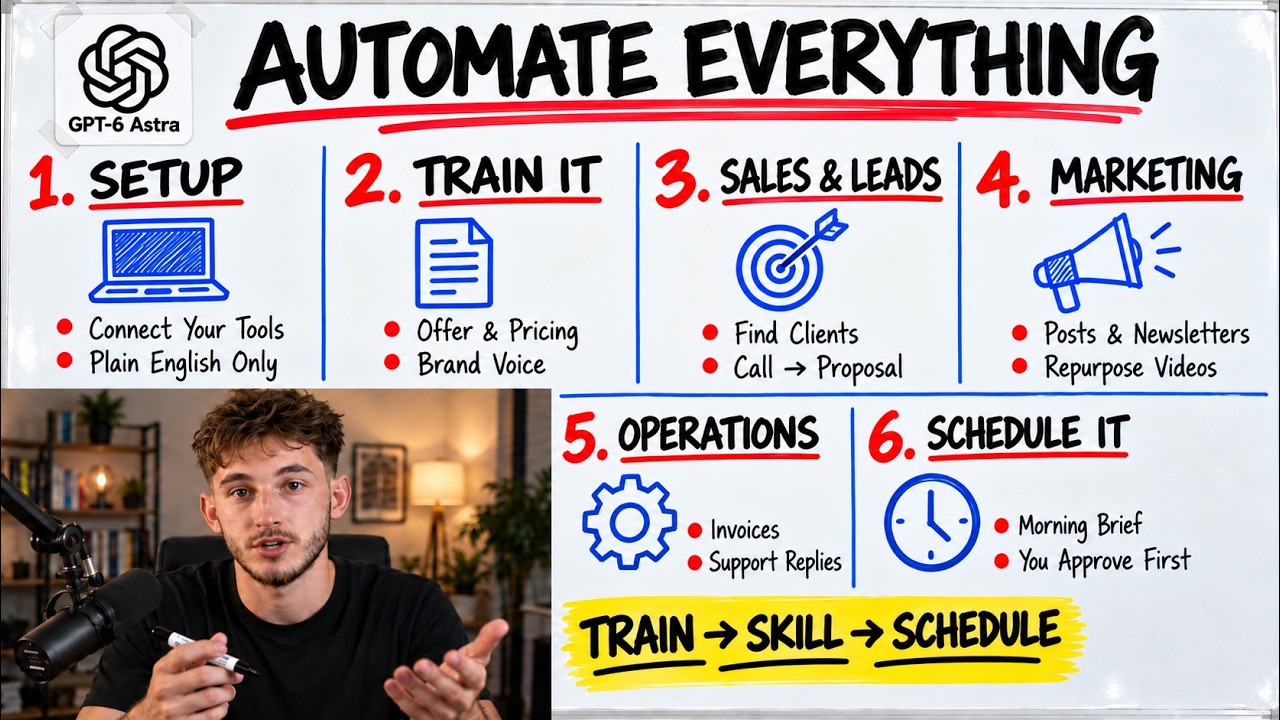
Stop treating your AI like a fancy search engine and start treating it like a full-time employee. Most people are stuck in a cycle of typing a prompt, copying an answer, and repeating the process, which is a massive waste of human potential.
The Simple Version
Imagine you just hired a brilliant Chief of Staff. On their first day, you hand them every single manual, price list, and SOP (Standard Operating Procedure) your company owns. They don't just read them; they memorize them perfectly.
Now, imagine this person also has the keys to your email, your CRM, and your calendar. Instead of you telling them, 'Draft an email,' you tell them, 'Handle the onboarding for the new client,' and they go off, use the tools, follow the manuals, and only come back to you when the job is finished.
That is the shift from using AI to being AI-native. As Nick Puru puts it, "Using AI, this just means your people, they open up a tab. AI native, this means that the recurring work, it runs on a system that the business actually owns."
How It Actually Works
The Memory Layer: Projects
The foundation of this setup is Projects. A project is a dedicated container where your business's specific context lives, such as pricing sheets and brand voice guides, so the AI doesn't 'forget' your identity between sessions.
GPT-6 Astra introduces a unique memory mechanism for long-running tasks. Instead of simply summarizing a conversation—which often leads to losing critical details—Astra writes internal notes to itself to track progress across complex jobs.
The Execution Layer: Skills and Recording
Skills are saved playbooks for repeatable tasks, like drafting sponsor replies or generating invoices. These are step-by-step instruction sets that the AI triggers automatically when a goal matches the skill's description.
For those on Mac, the Skill Recorder allows you to perform a task on your screen while the AI watches your clicks and keystrokes. It then converts those visual actions into a repeatable, prompt-based skill without you writing a single line of code.
The Worker Strategy: Specialists vs. Generalists
Rather than building one giant AI worker that knows everything, the system uses Specialist Workers (e.g., a 'Proposal Worker' or 'Research Worker'). Each specialist is housed in its own project with only the specific context it needs to perform its job.
This architecture prevents 'context bloat.' As the video explains, if you feed one worker too much information, "it gets confused. It starts making things up and it gives you wrong answers." By splitting roles, you ensure higher accuracy and reliability.
Technical Deep Dive
Architecturally, the 'Work' tab represents a move from turn-based interaction to agentic workflows. In a standard chat, the LLM predicts the next token based on the immediate prompt. In 'Work' mode, the system operates on a Plan-Act-Observe loop.
When a goal is set, Astra invokes a planning agent that breaks the goal into sub-tasks. In Plan Mode, the AI writes out its intended actions—such as 'reading a spreadsheet' or 'listing files'—and waits for human approval before executing. This provides a critical safety layer for high-stakes business operations.
The 'Computer Use' feature utilizes a Large Multimodal Model (LMM) to perceive the screen as pixels, calculating X-Y coordinates to simulate clicks. OpenAI claims this is roughly twice as fast as the previous model. It acts as a 'headless browser,' allowing the AI to interact with legacy CRMs or websites that lack an official API.
From a resource perspective, there is a significant token overhead. Every active plugin adds tool definitions to the system prompt. Puru notes that excessive plugins can add roughly 300,000 tokens of overhead to a job before it even begins, which can quickly deplete usage limits.
For advanced users, the agents.md file serves as a global configuration layer. This markdown file, read by the Codeex environment, defines hard rules and team structures, ensuring the agent's behavior remains grounded regardless of the specific project.
Why This Matters
This shift fundamentally changes the role of the business owner from a doer to a decider. When recurring 'grunt work' is handled by recorded skills and integrated tools, the human operator only handles exceptions and final sign-offs.
The economic impact is significant. While heavy users may spend $100 to $200 a month per person, this is a fraction of the cost of hiring a full-time administrative team. The goal is to plug the 'three leaks' found in most businesses: chasing people for approvals, manual data movement between systems, and building reports that no one reads.
However, this is not a 'magic button.' As the video warns, the system is fantastic for well-defined jobs but is not yet ready to act as a general manager. Success requires the 'golden rule': nail one single workflow first, get it working three times in a row, and only then expand to adjacent processes.